

Canvas Faculty Roadmap
10 Steps to Get Your Canvas Course Ready for Students
Whether you're new to Canvas or preparing for a new semester, use this roadmap to work through the essential steps for getting your Canvas course ready for students.
 Can't find your course?
Canvas courses are created from Banner information. If your course is missing or you're
not listed as the instructor, check with your department to confirm that you're listed
as the Instructor of Record.
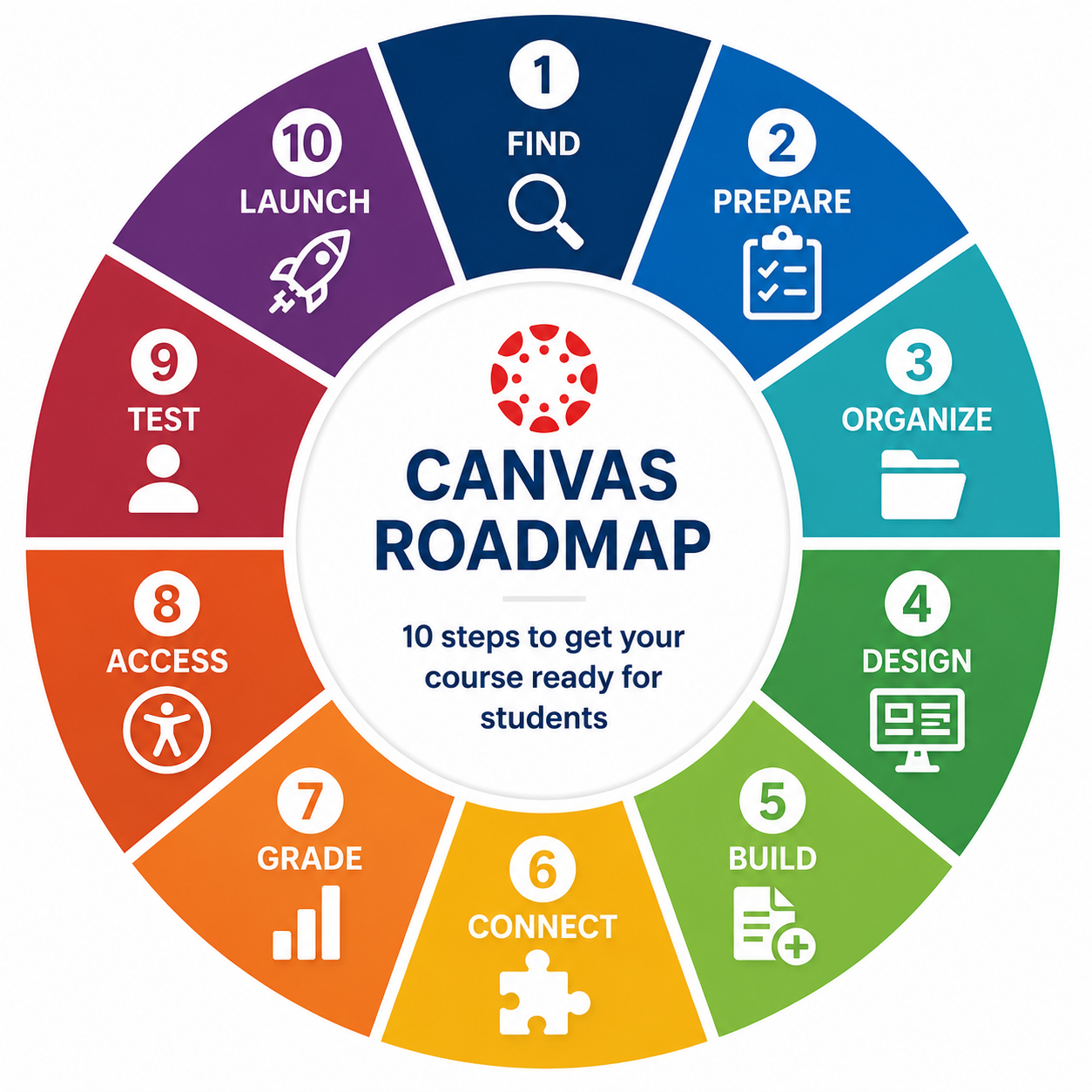
Locate your course in Canvas and organize your Dashboard so the courses you need are easy to find.
6. CONNECT — Add course tools & integrations
Set up the external tools for your course such as Panopto, Gradescope, publisher tools,
and other integrations.
2. PREPARE — Check access, sections & settings
Confirm your course settings, sections or merges and any additional course users you
need.
7. GRADE — Set up your Gradebook & grading structure
Review assignment groups, weighting, grading schemes, policies, and grade calculations.
3. ORGANIZE — Build your course structure
Use Modules to create a clear path through your course by week, unit, topic, or another
logical structure.
8. ACCESS — Check accessibility
Use Panorama and accessibility best practices to help ensure your course materials
are accessible to all students.
4. DESIGN — Set up your homepage & navigation
Create a clear starting point for students and keep Course Navigation focused on the
tools and resources they need.
9. TEST — View your course as a student
Use Student View to check navigation, content visibility, links, assignments, dates,
and the overall student experience.
5. BUILD — Add content & activities
Create or review your Pages, Assignments, Discussions, Quizzes, Files, and other course
materials.
10. LAUNCH — Publish & welcome students
Publish your course, welcome your students, and make it clear where they should begin.
Need more help?
Visit our Canvas support contact page to reach our ECAT for more support.